
Operational Reporting & Insights
Your event business.
A clearer picture.
See project progress, payments and budgets in context. Understand the markets, clients, suppliers and people behind the work—all through one connected reporting library.
Start with the question.
Find the report that answers it.
A pipeline review needs a different view from a payment follow-up. Bring the right information to each decision.
How is the portfolio progressing?
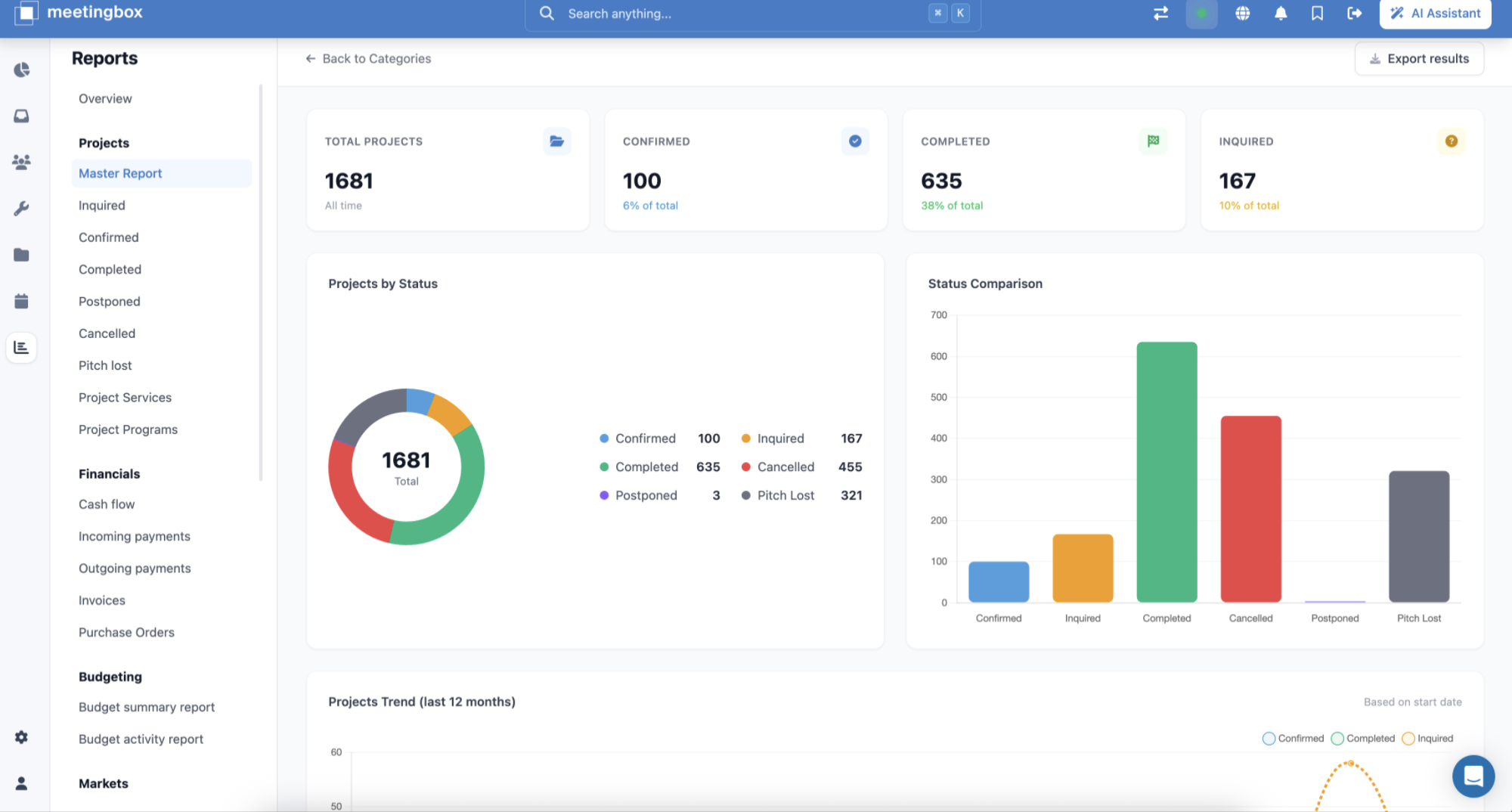
Review project statuses to see what is being discussed, confirmed, delivered or lost.
What still needs to be paid?
Distinguish expected payments from money received, and see what remains outstanding.
Where is demand coming from?
Compare source markets, turnover and participant numbers across your event business.
Seven report families
The whole operation.
One reporting library.
Projects
Project progress, from inquiry to completion.
Explore reportsHide reports
Projects
- Master Report
- Inquired
- Confirmed
- Completed
- Postponed
- Cancelled
- Pitch lost
- Project services
- Project Programs
Financials
Cash flow, payments and financial commitments.
Explore reportsHide reports
Financials
- Cash flow
- Incoming payments
- Outgoing payments
- Invoices
- Purchase Orders
Budgeting
Budget totals and the activity behind them.
Explore reportsHide reports
Budgeting
- Budget summary report
- Budget activity report
Markets
Turnover and participants by source market.
Explore reportsHide reports
Markets
- Turnover by Source Market
- Comparison by Market
- PAX Received
- PAX Confirmed
- Comparison by month
Clients
Client records and their related projects.
Explore reportsHide reports
Clients
- Master Report
- Projects Report
Suppliers
The partners behind your events, in one view.
Explore reportsHide reports
Suppliers
- Master Report
Staff
Team activity, project involvement and time off.
Explore reportsHide reports
Staff
- Business Materialization report
- Projects overview
- Holidays report
- User logs
- Exceptions
Cash flow, over time
Timing changes
the financial picture.
Client receipts and supplier payments do not always arrive together. See incoming and outgoing amounts alongside the cumulative balance to understand how payment timing affects the position.
Cash flow over time
Illustrative data · Jan–Jun 2026 · Opening balance €80,000
- Incoming
- Outgoing
- Cumulative balance
MaySample month
Incoming. See when money comes into the picture.
Outgoing. See the payments moving out.
Cumulative balance. Follow their combined effect over time.
Outgoing payments
Illustrative data · Jan–Jun 2026 · EUR
- Total due
- €248,760 Paid + outstanding
- Total paid
- €183,420 73.7% paid
- Outstanding
- €65,340 7 scheduled payments
- Overdue
- 0 No payments overdue
Payments by status
- Paid11
- Scheduled7
Paid over six months
Monthly amount · scale €0–€50,000
Jun €32,4202 paid payments
Six-month payments total €183,420. Scheduled amounts are outstanding and are not included in the paid trend.
From the overview to the follow-up
Due isn’t paid.
Know what remains.
See what is due to suppliers, what has been paid and what is still outstanding. Review payment status alongside the monthly trend to guide the next follow-up.
- Focus the view
- Use the report’s filters to narrow the information you’re reviewing.
- Understand the detail
- Read the summary alongside the records behind it.
- Share the result
- Export results for the people taking the next step.
A shared view of the business
See where things stand.
Decide what happens next.
Explore reporting built around the way your event operation works.