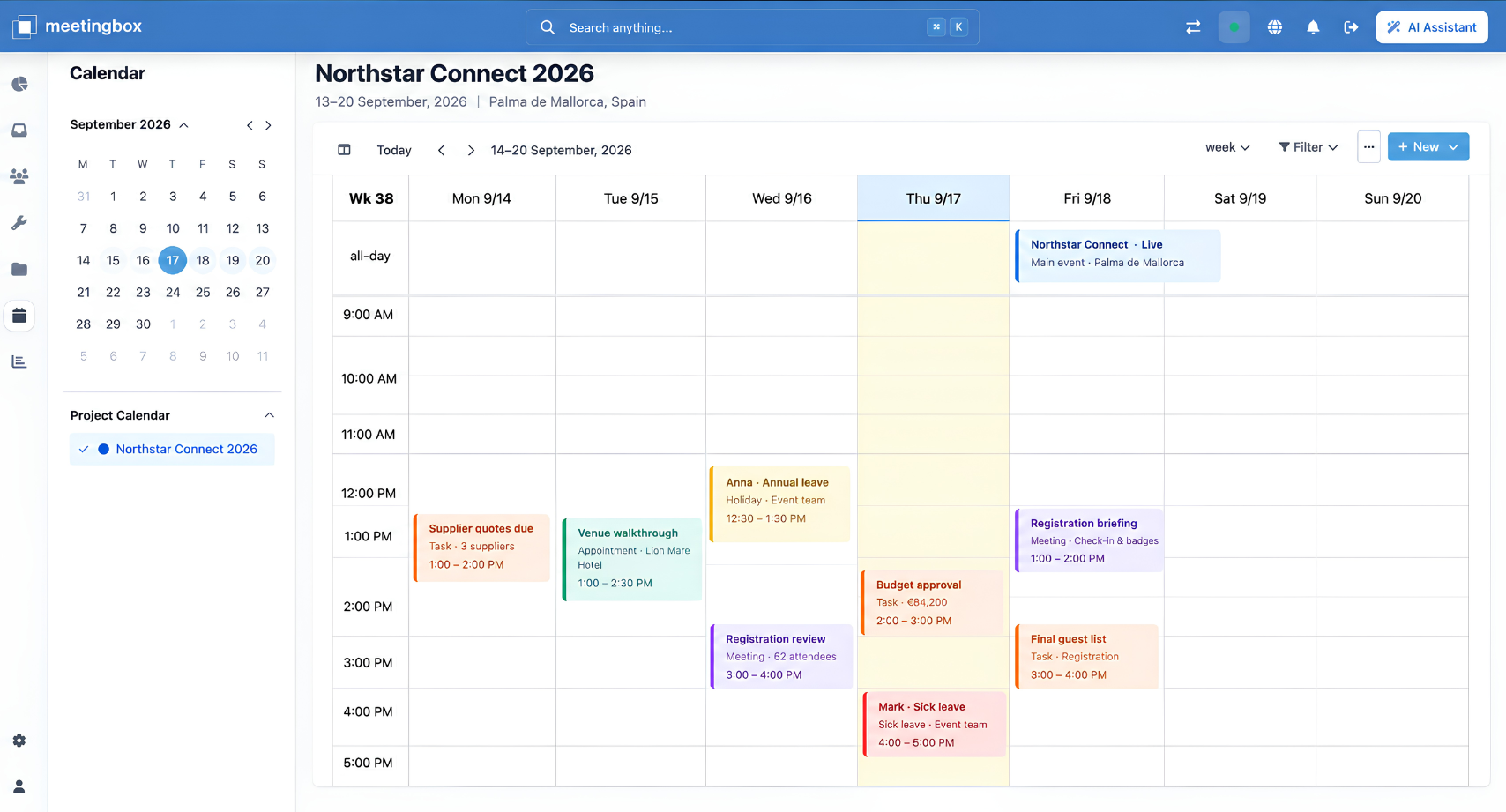
The connected week
See the work around the event.
Bring personal appointments, team schedules, project milestones, payment dates and HR events into one view. Switch between day, week and month as the plan takes shape.

Event Operations / Event Calendar
See the meetings, deadlines and people behind every event. Bring project, team and personal calendars together, so the next commitment fits the whole plan.
Keep milestones, meetings and delivery dates in the same conversation.
See team commitments and absences before adding the next meeting.
Carry the project, client and agenda with the calendar entry.
A closer look at the calendar
From a supplier deadline to a team absence, every date has a place in the plan. Explore the details inside one connected calendar.
The connected week
Bring personal appointments, team schedules, project milestones, payment dates and HR events into one view. Switch between day, week and month as the plan takes shape.
Every kind of commitment
Add meetings, appointments, all-day events and leave entries. Link them to the project and client, with rich text notes and an agenda close by.
Your planning perspective
Filter by project or client, search by keyword, or select several projects together. Move from the full calendar to the details you need for a client review.
Availability in context
View the team’s schedule alongside your own. Meetings, holidays and sick leave make existing commitments visible, so you can spot overlaps before adding more work.
Dates belong with decisions
A venue walkthrough belongs to a project. A client review needs an agenda. A team absence affects what comes next. Keep those connections visible as you plan the week.
Explore Project & Workflow ManagementA closer look
Personal appointments, team schedules, project milestones, payment dates and HR events. Use day, week or month views and color coding to make the schedule easier to read.
Yes. Filter by project or client, select several projects for a combined view, or search across calendar events by keyword.
Create meetings, appointments, all-day events and leave entries. Link commitments to projects and clients, and keep rich text notes and an agenda with the event.
View team calendars alongside your own to see commitments and absences. That context helps you identify overlaps before scheduling more work.
Event Calendar
See how Meetingbox connects your schedules, people and projects.
Book a Demo