
Event Operations / HR & Resource Management
Plan the people.
Keep delivery in view.
See availability, balance workloads and account for holidays, vacation and sick leave. Connect your people, schedules and assignments to the events your team delivers.

People and availability
Plan around the team.
Including time away.
Keep public holidays, vacation and sick leave visible when planning project assignments. Use availability and workload together to decide who can take on the next task.
Explore timesheets, review and cost ratesThe full planning picture
Today’s workload.
Tomorrow’s commitments.
Coordinate the calendar, understand capacity and adjust the plan as events move. Keep the people and the numbers in the same conversation.
See the commitments behind the workload.
Bring meetings, site visits and project deadlines into one coordination calendar. See how event commitments fit together before you add another.
- Unified project and meeting view
- Deadline tracking across events
- Visibility into scheduling conflicts
From assignment to delivery
Make ownership clear.
Keep it clear through delivery.
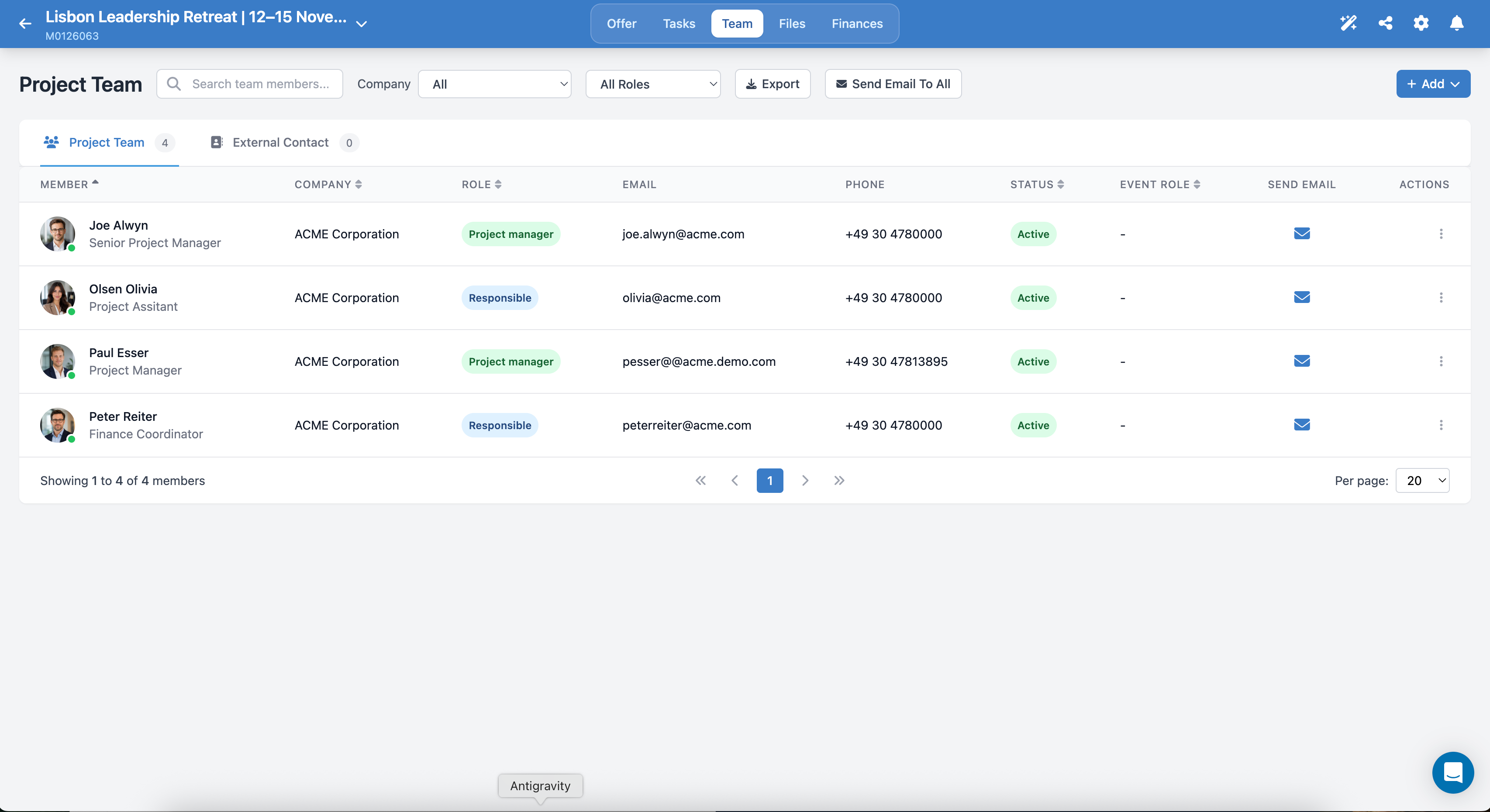
Keep project managers, coordinators and external contacts in the same project context. Roles, responsibility and status stay visible as delivery takes shape.
Meetingbox Intelligence
Find the fit.
See the trade-offs.
Use AI-assisted resource matching to consider skills, availability and workload together. Surface capacity pressure and skill gaps as you decide who should take on the next event.
- Suggested resource matches
- Capacity forecasts and overload-risk signals
- Skill-gap analysis
A closer look
How the pieces fit.
What can I see before assigning a request?
The assignment view brings a person’s role, existing requests, active projects and workload percentage together. Review that context before deciding who should take on the next brief.
How does responsibility stay visible inside the project?
The project team view shows members, their roles, responsibility and status. Internal team members and external contacts have distinct views, so the people involved stay connected to the event.
Can we plan beyond active projects?
Yes. Capacity forecasting considers upcoming projects, retainers, service packages and deals alongside current work. Use that view to plan hiring, external support and future commitments.
What happens when event plans change?
Reschedule timelines, reassign work and adjust workloads as priorities move. Dependencies and timeline visibility help keep the plan current; planned-versus-actual time shows how delivery compares with the estimate.
HR & Resource Management
Give the next event
the team it needs.
See how Meetingbox connects your calendar, team capacity and event delivery.
Book a Demo