
Know where the work goes.
Track time against projects and tasks, compare estimated effort with actual time spent, and connect team hours to project cost, utilization, and profitability.
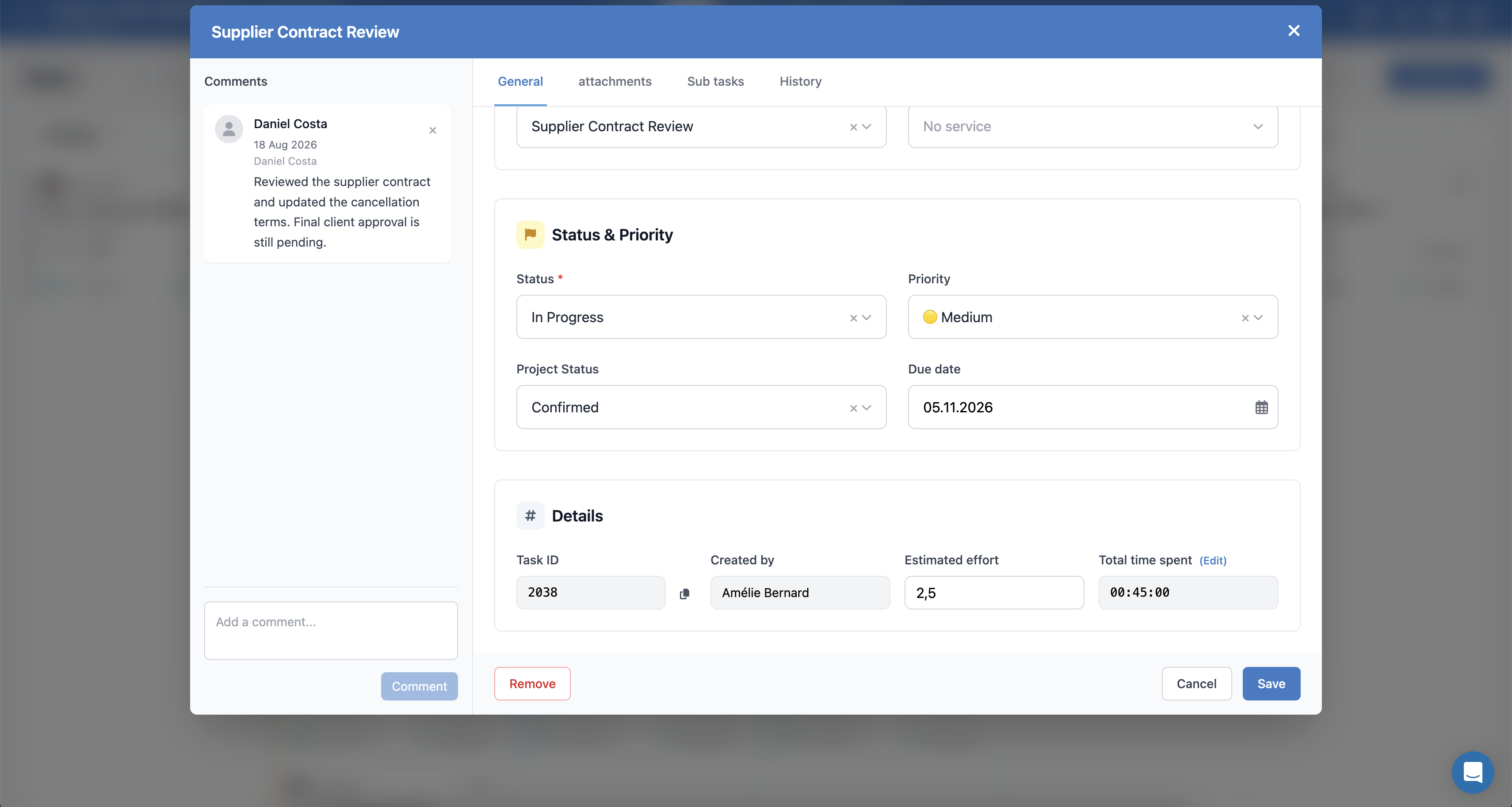
Time tracking, inside the project.
Log time directly against the tasks and projects your team is already working on. No separate timesheet system. No duplicate entry.
- Log as you work
- Use a start/stop timer to record time against the work in progress.
- Fill in your timesheet
- Add hours afterwards and keep the details of your work together.
- See the week in context
- Use the timesheet calendar to review entries, spot gaps and understand how time is spent.
28 h
Hours loggedMon 21 · 6 h
Familiar work. Without a fresh setup.
Repeating tasks
Set up recurring tasks for weekly coordination, status updates and the routines every project depends on.
Task templates
Reuse task templates for familiar event workflows and adapt them to the project in front of you.
Time is part of the project margin.
Connect tracked hours to staff cost and sell rates so labor becomes part of the real financial picture of the project.
- Cost rates
- Bring staff time into project cost.
- Sell rates & billable time
- Connect billable hours to the rate you charge.
- Profitability
- See labor alongside the other costs of delivery.
Know when the work is drifting.
Compare estimated effort with actual time spent and spot overruns before they become margin problems.
Review time by project, task, client, or team member.
- Estimated effort
- The work you planned.
- Actual time
- The time recorded against it.
Review, approve, understand.
See who has logged time, follow up on missing entries and review hours by team member. Managers can approve timesheets and report on effort across projects, tasks and clients.
- Timesheet approvals
- Calendar-based logging
- Recurring tasks
- Time reporting
- Cost & sell rates
The team’s time, in view.
Illustrative daily report · 9 team members
- Staff
- 9 In this example
- Time logged
- 8 With recorded time
- Missing entries
- 1 To follow up
- Entry coverage
- 88.9% 8 of 9 have logged time
Time entry status
- Time logged8
- Missing entry1
See where to follow up before reviewing and approving timesheets.
Hours by team member
Recorded time · shared scale 0–8 h
9 of 9 team members shown
- Alex7 h 45 m
- Daniel7 h 10 m
- Paul6 h 35 m
- Olivia5 h 50 m
- Sofia7 h 10 m
- Chloé6 h 35 m
- Luca5 h 50 m
- Amélie6 h
- SamNo entry yet
Entry coverage shows who has recorded time. It is separate from timesheet approval, utilization and productivity.
- Task
- Estimated effort
- Actual time
- Cost
- Utilization
- Project profitability
Bring your time into the project picture.
Track the work where it happens. Understand what it means for delivery and profitability.