A personal agenda
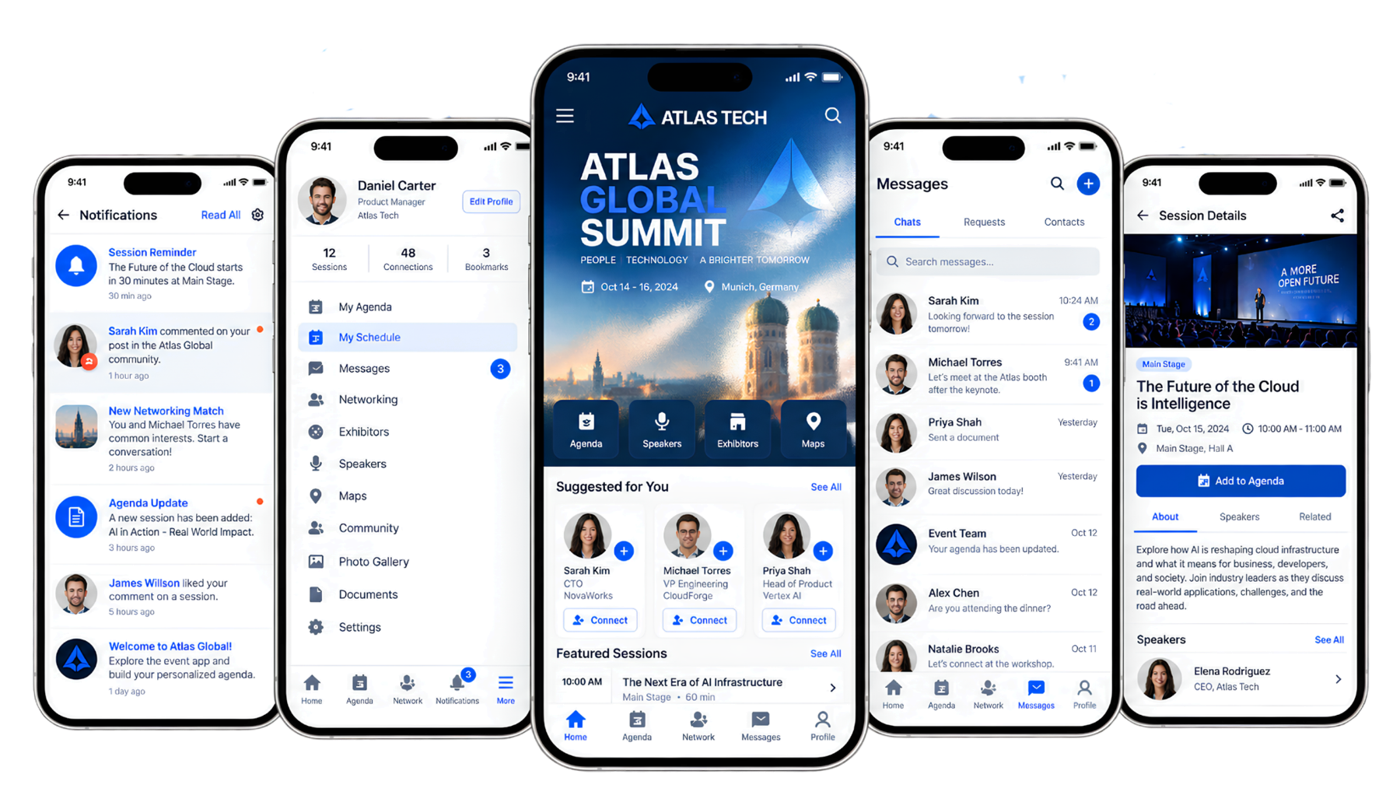
Guests can explore the programme, open session details and save sessions to their own schedule.

Mobile event app
Give guests a branded place for their agenda, event updates, people to meet and conversations. They can add it to their home screen and stay connected throughout the event.
For your guests
Give people a clear next step, whether they are planning their day, following a change or finding someone to talk to.
Guests can explore the programme, open session details and save sessions to their own schedule.
Share programme changes, reminders and important news directly in the event app.
Attendee profiles and suggested connections help guests start useful conversations before the event.
Guests can keep conversations going within the event instead of moving to another channel.
Your event identity
Keep the experience recognisable from the event website to the screen guests open on the day.
Carry your event name, logo, colours, app icon and opening screen into the mobile experience.
Guests open the event link and add the app to their home screen on supported devices, without searching an app store.
The agenda, updates, connections and event content stay within the same event experience.
My Event
Alongside the event app, each guest has a personal My Event space. It keeps their QR pass, registered sessions, bookings and registration details available on desktop and mobile.
Explore the guest journeyGood to know
No. They open the event link in a browser and can add the app to the home screen on supported devices.
Yes. They can explore sessions and save the ones they plan to attend to their personal schedule.
Event updates and notifications help guests keep up with important changes and reminders.
Their personal My Event space keeps the QR pass, bookings and registration details available on mobile or desktop.