Levels that fit your event
Name and order your own sponsor levels, and set the logo size for each level on the event page.
Sponsors & exhibitors
Organise sponsors, exhibitors and partners in one view. Then give guests a clear way to discover their work and meet the people behind each brand.
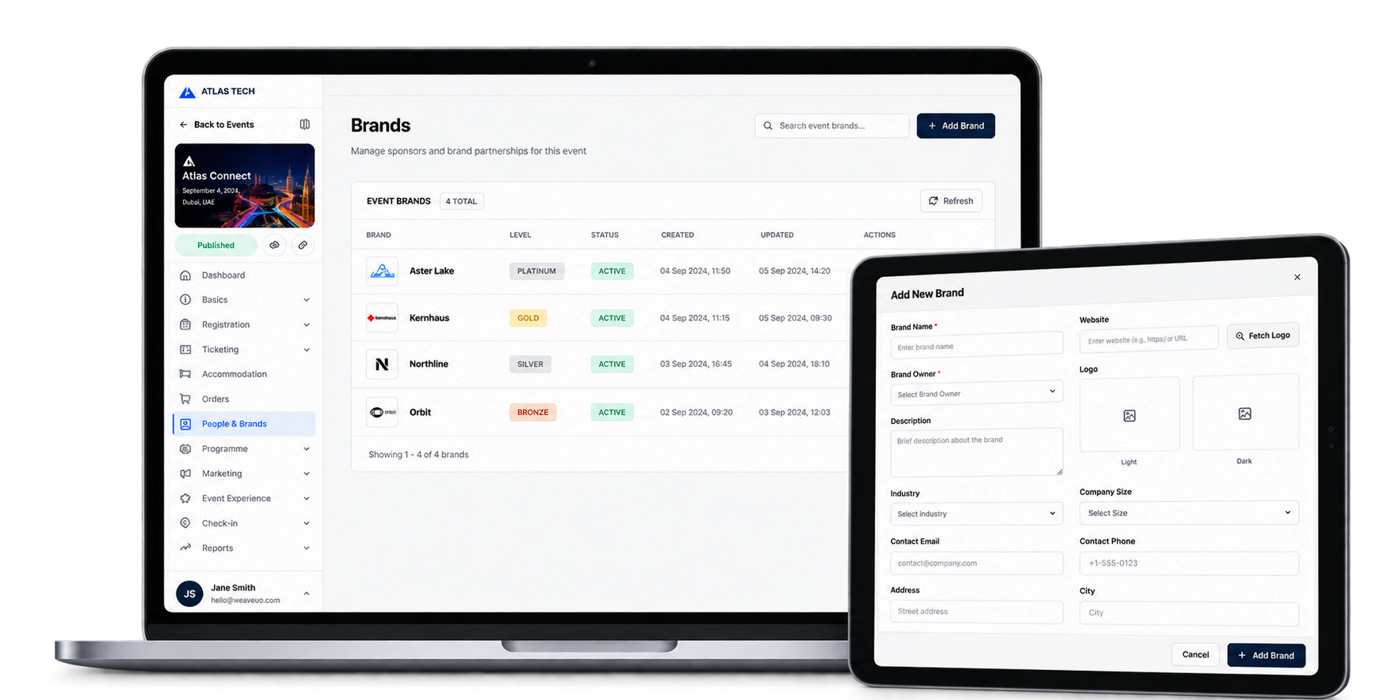
Sponsor levels & logo wall
Give every partner the right visibility while keeping your event’s brands easy to manage.
Name and order your own sponsor levels, and set the logo size for each level on the event page.
Keep brands in your Hub and add them to another event without rebuilding their profiles.
See each brand’s level, status, representatives and tables in the event overview.
Brand portal
Brand leads use their existing account to update the profile, logo, banner, products and files. Your team stays in control of what can change.
Control which parts of the profile a brand lead can update.
Close editing when the partner’s details are ready for your event.
Profile changes appear across the events that brand takes part in.
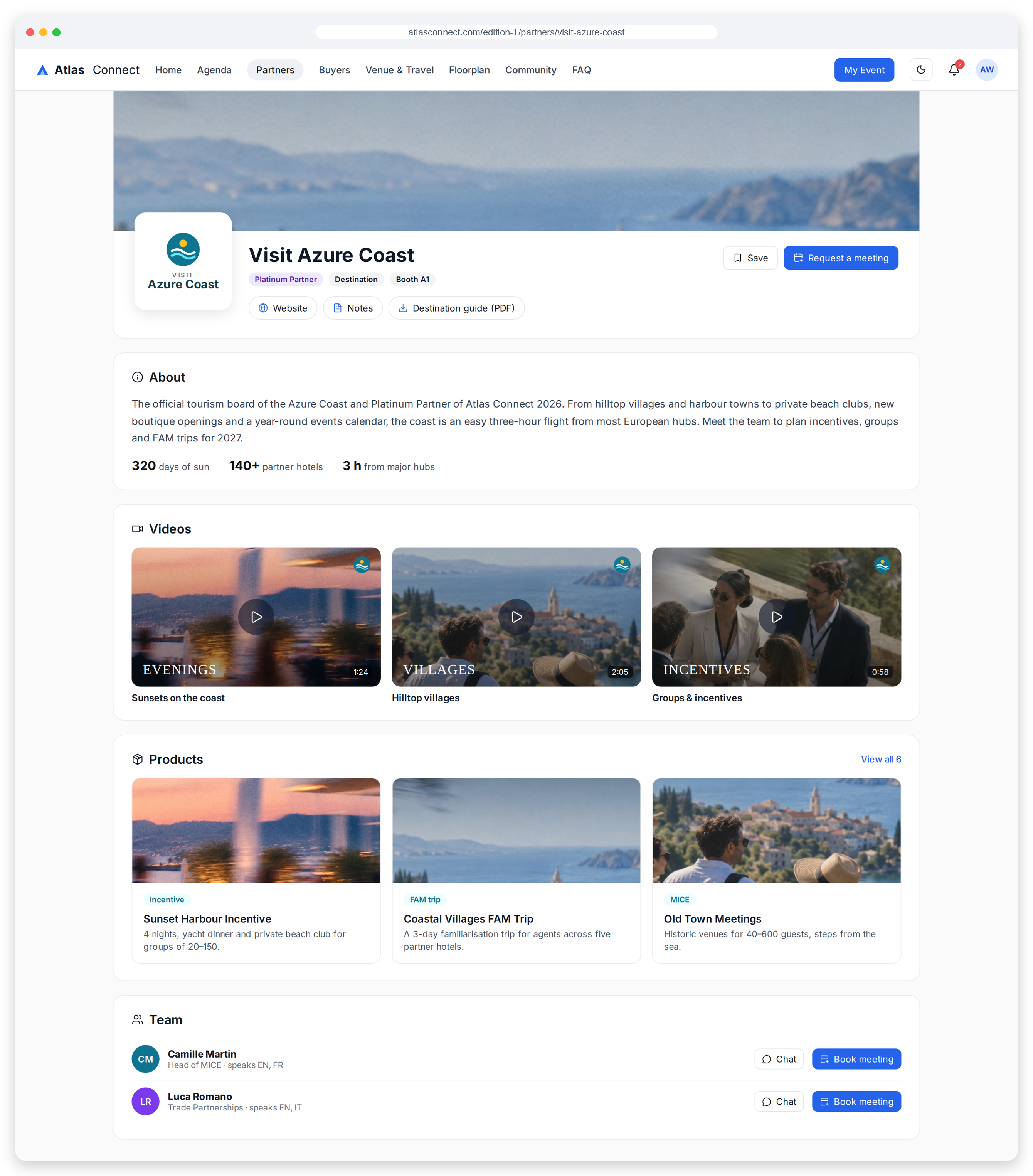
The guest view
Give each partner a useful home before and during the event. Guests can explore their story, save private notes and find a clear way to connect.
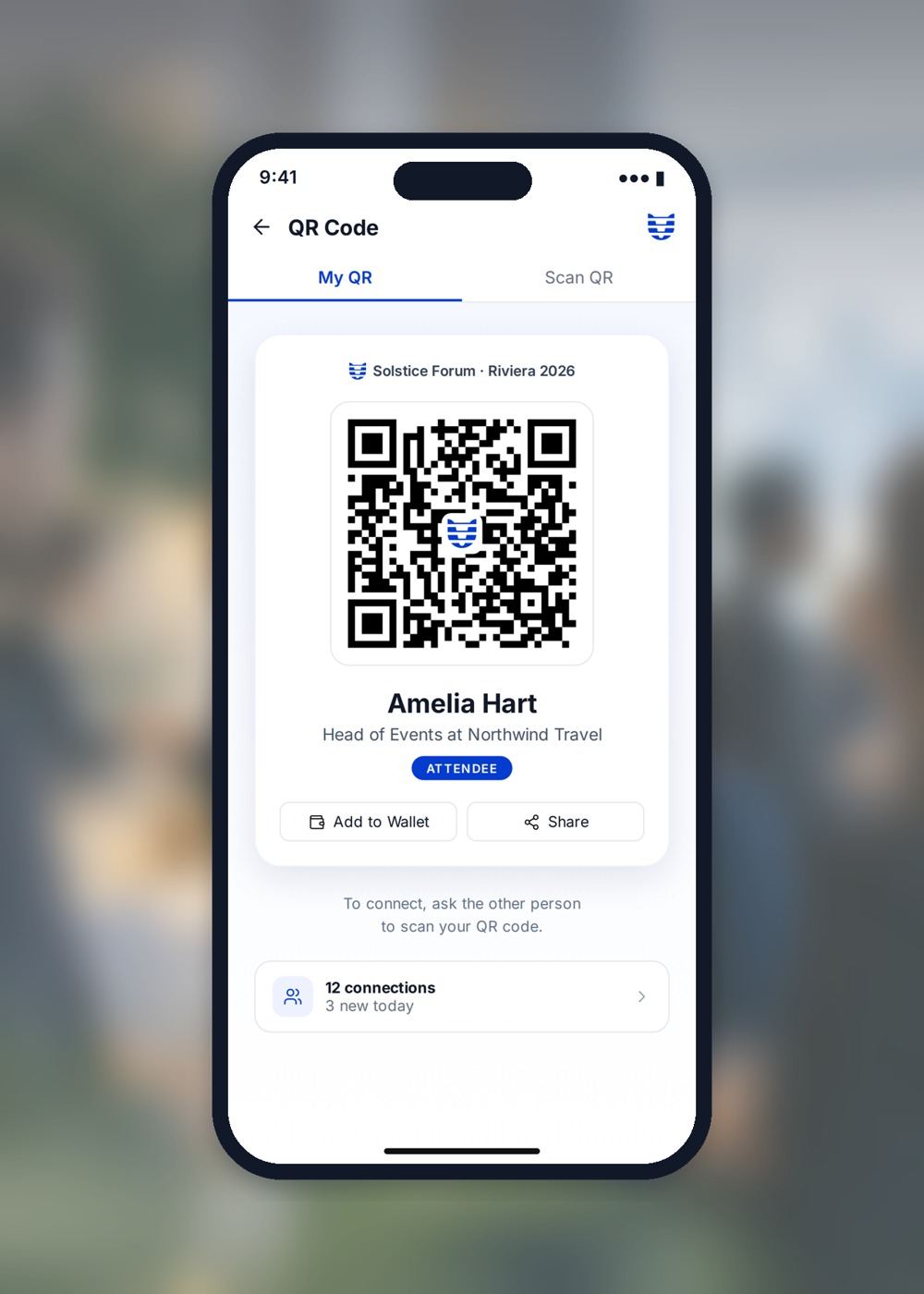
Teams & lead scanning
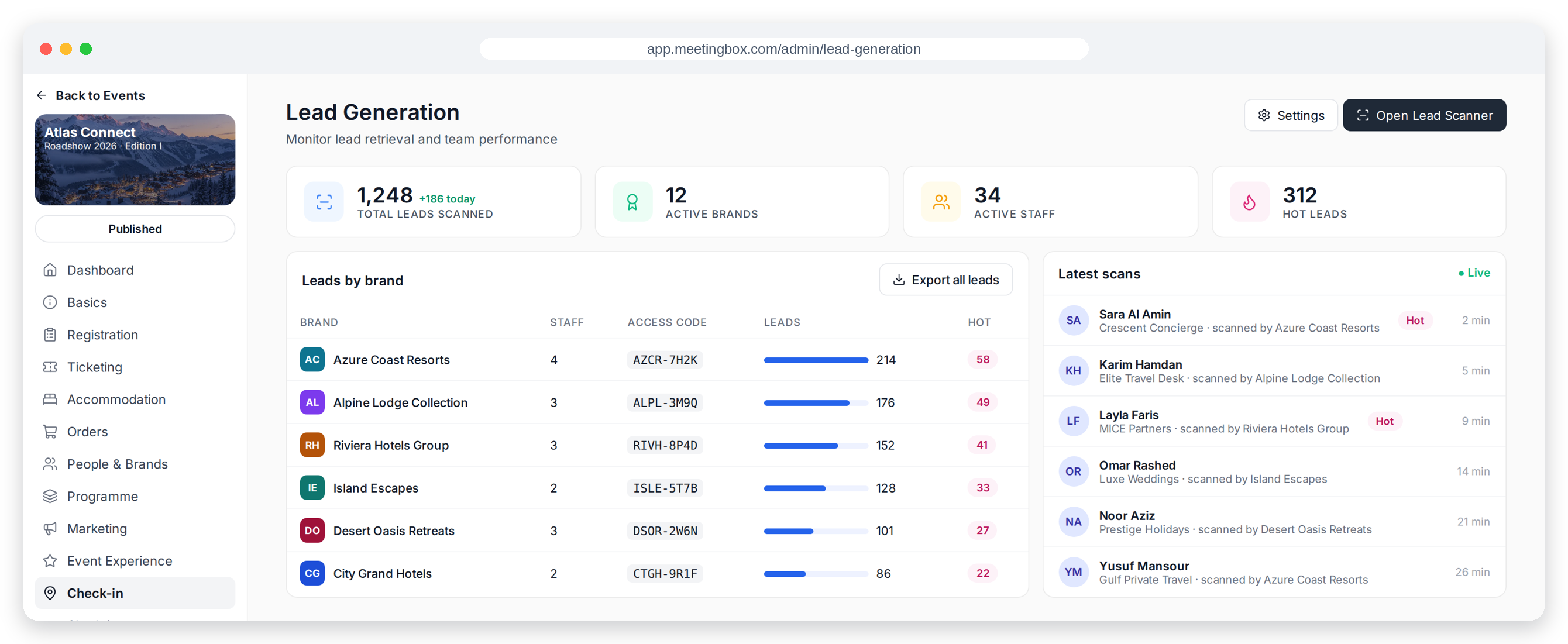
Guests carry a personal QR code they can share at the event. Give brand representatives the access to scan badges, qualify contacts and follow up after a conversation.
See scans and high-interest leads by brand, review recent activity and export results for follow-up.
Good to know
Yes. Brand leads can update their profile, products and files in the brand portal. You choose what they can edit and can lock the profile.
Yes. Add PDFs to products and services for guests to download from the partner page.
Yes. Name and order your levels and choose a logo size for each one.
Representatives scan attendee badges with their scanner PIN and answer the qualifying questions you set.
Yes. Enable it for selected brands and offer it as a paid add-on when needed.
No. Brands live in your Hub and can be added to another event.