Message the right people
Email only the guests you have selected, including everyone in a particular session.

Attendee management
From the first invitation to check-in, keep each guest's details, bookings and requirements in one place your whole team can act on.
One complete record
Attendee 360 brings registration answers, tickets, sessions, hotel bookings, seats, documents and activity into one view. Your team can edit a registration on a guest's behalf.
DietaryVegetarian
Arrival12 May · 14:30
Documents1 uploaded
TicketGeneral admission
Sessions3 selected
Hotel & seatConfirmed · T03/6
Illustrative profile with sample data
Find and act
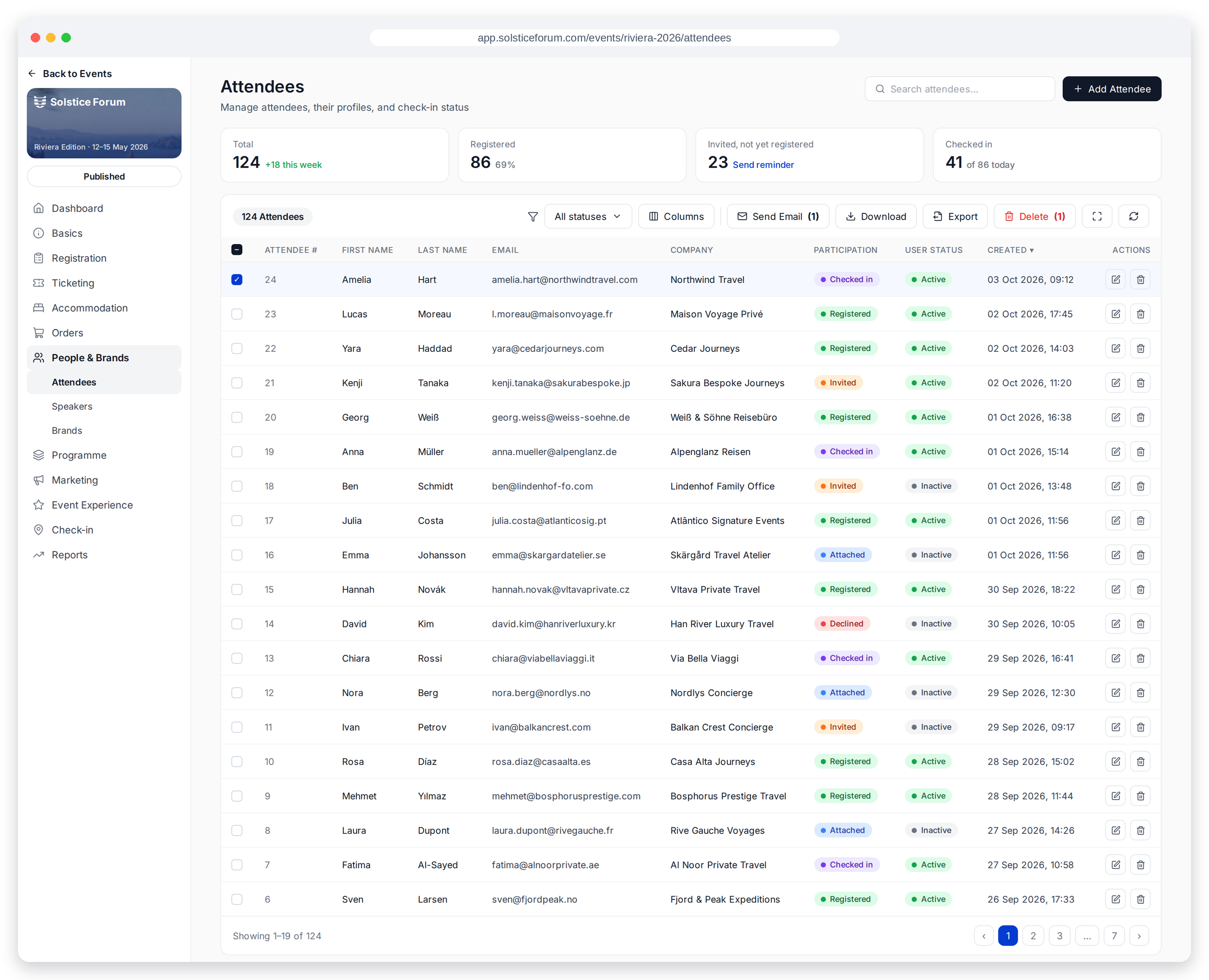
Search and filter by participation or user status and by sessions. Then choose exactly who needs a message, a ticket, a badge or a place in your next export.
Email only the guests you have selected, including everyone in a particular session.
Download tickets and badges for a selection without opening each record.
Import a guest list or export to CSV or Excel with the columns you choose.
My Event
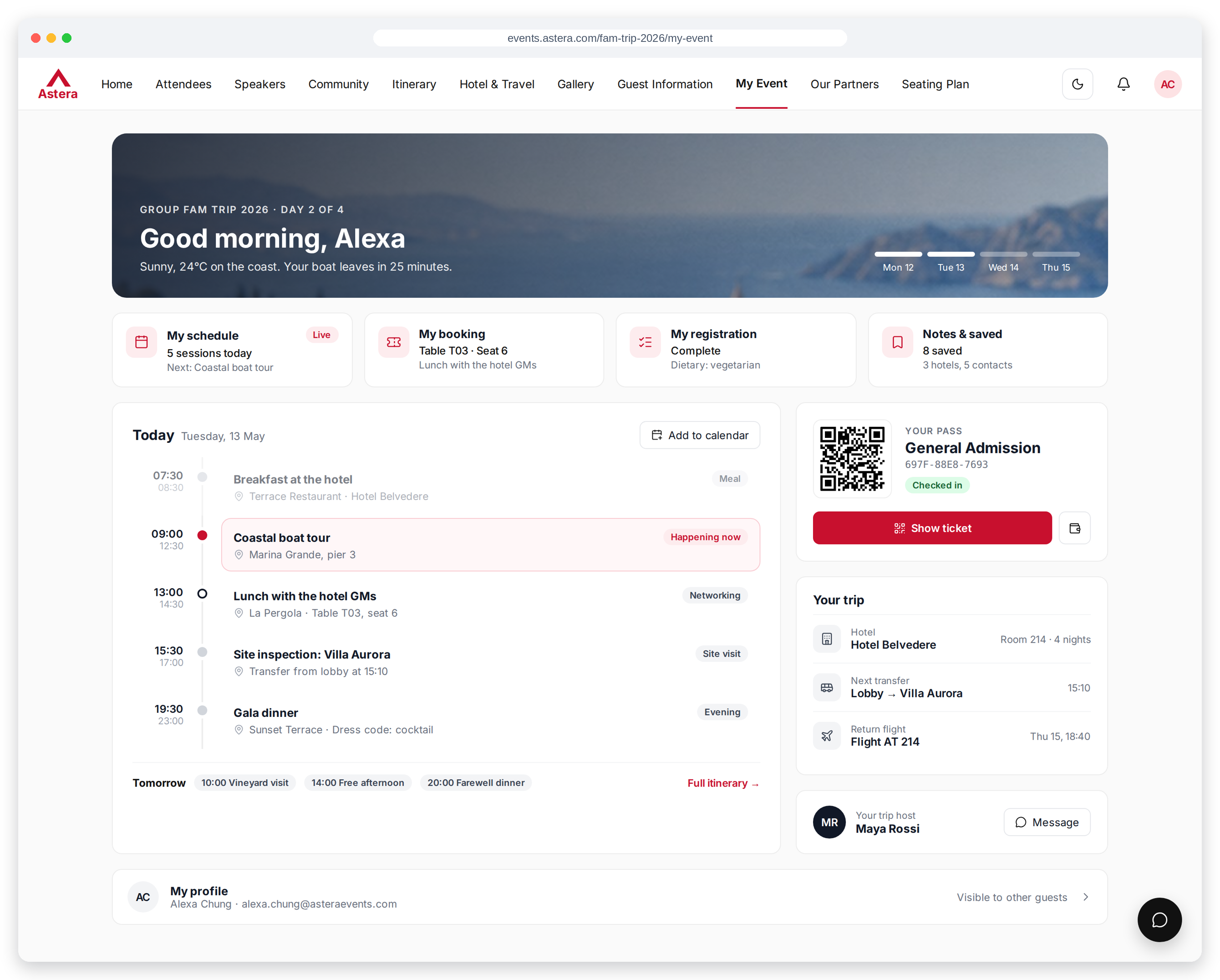
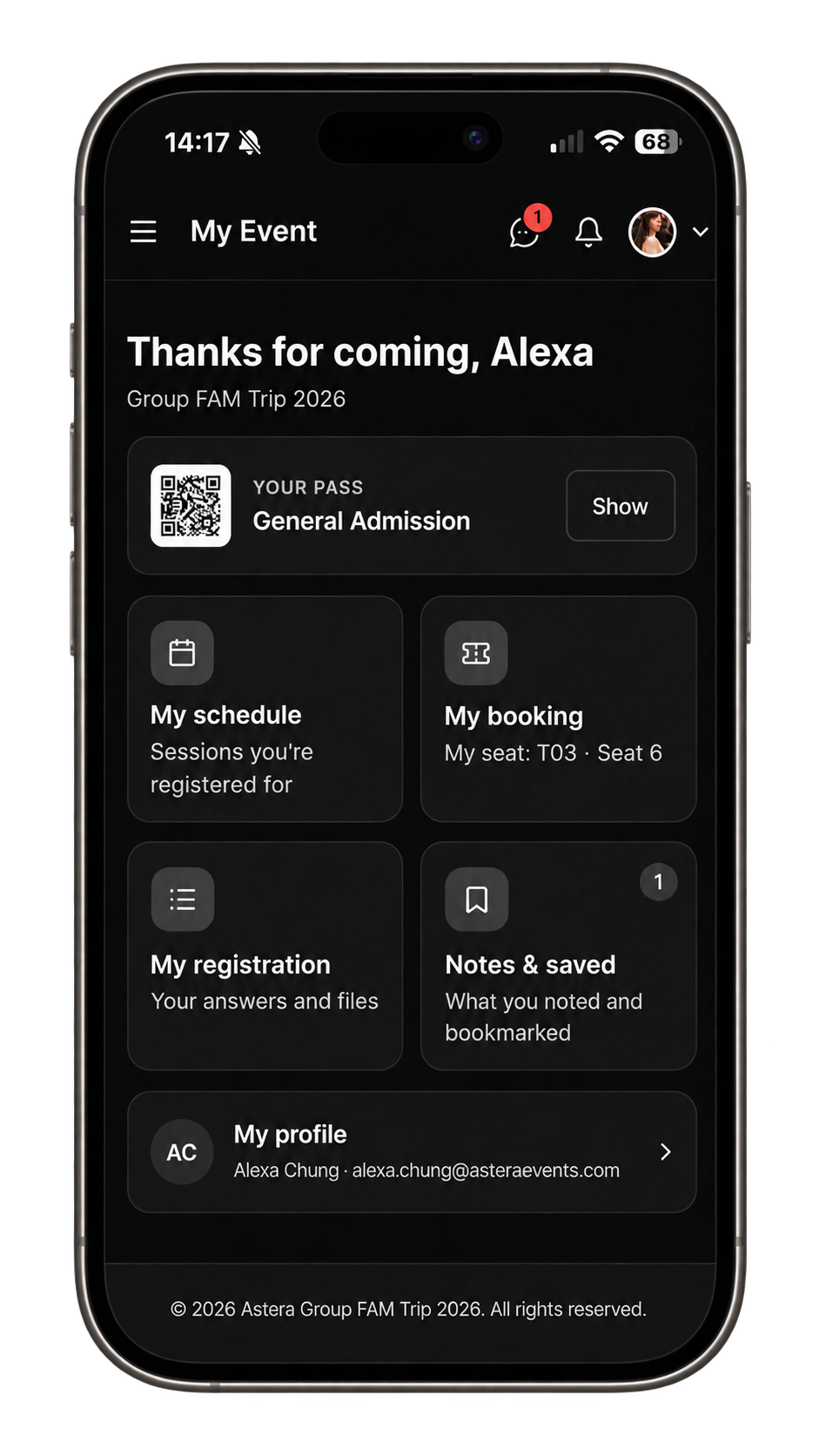
Guests can see their pass, bookings, sessions, hotel and seat in My Event. When you allow updates, they can change their registration answers and documents until the deadline you set.
Connected capabilities
The record stays useful after the registration form is submitted—through communication, programme delivery and arrival.
Guests sign in with a link sent by email. There is no password to remember.
See session check-ins alongside registrations in event analytics.
Collect and review feedback for the event and individual sessions.
Email, download badges and tickets, or export any selected group.
Follow when a guest registered, updated details and checked in.
Custom fields, conditional questions and uploaded files flow into the guest record.
Arrangements stay connected
Keep event participation here, while your CRM holds the ongoing relationship with clients and business contacts.
Good to know
Yes. Upload a file and map its columns to your fields.
Yes. Export to CSV or Excel with the columns you need, or build a reusable custom report.
Yes, from the guest's Attendee 360 record.
Yes, until the deadline you set, if you allow changes.
Yes. Filter, select and email that group.
Yes. Speakers, brand representatives and instructors have their own records.
Explore related features
From list to live event
See how Meetingbox keeps every guest and every next step in view.
Book a demo