More events. Less repeat work.
Reuse project workflows, so your team spends less time rebuilding plans and chasing updates.


Meetingbox for
From the first client brief
to the final event report.
Operations Suite. Event Experience. Applied intelligence.
Connect the Operations Suite—requests, proposals, suppliers, budgets and delivery—with branded registration and attendee experiences. One platform for the work behind every event and everything your client sees.
Built for agencies. Designed for your clients.
Every client brings a different brief, budget and audience. Give your team one connected way to manage the project, deliver the experience and carry what works into the next event.
Reuse project workflows, so your team spends less time rebuilding plans and chasing updates.
Deliver websites, registration, emails and the event app in your agency’s brand or your client’s.
Give each client a dedicated hub, with roles and permissions that keep their events and data separate.
Review project costs alongside each event’s registrations, attendance and feedback, with clear reports for your team and clients.
Operations Suite · Planning & project delivery
Connect the commercial and operational work behind every client event. From enquiry to invoice, keep your team, suppliers, deadlines and financials working from the same project context.
Bring client requests, conversations and project details together. Keep the original requirements close as the scope develops.
Requests & inboxKeep client contacts, opportunities and conversations in your CRM, so the relationship continues beyond one event.
Sales CRMBuild client proposals and quotes from your services and pricing. Keep revisions, reviews and approvals tied to the project.
Proposals & presentationsKeep supplier contacts and services in one place. Send RFPs and compare responses with the client’s requirements in view.
Supplier managementBuild the client quote alongside the internal budget. Compare estimated and actual costs as supplier decisions and scope change.
Quoting & budgetingPlan milestones, assign tasks and coordinate team capacity across projects. Reuse delivery workflows and keep deadlines visible.
Projects & workflowsBring time, costs and invoicing into the project picture. Review profitability and team workload before planning the next event.
Project reportingThe whole project in perspective
Give account managers, planners and finance the context behind every decision, from the agreed scope to the latest supplier cost.
Explore project managementSee the workflow in action
Open the demo in a full window (opens in a new tab)Meetingbox Intelligence
AI assistance inside the agency workflow. Move from scattered information to a useful starting point, with your team reviewing and refining the result.
Extract requirements from emails and documents, spot missing details and prepare useful follow-up questions.
Develop a proposal from the brief and compare supplier responses against the event’s needs.
Summarise project information and prepare replies and reporting for your team to review.
Registration & attendee experience
01Client management & branding
Move between clients, sub-brands and events without rebuilding your setup each time. Give every client a branded hub and your team a clear place to manage the work.
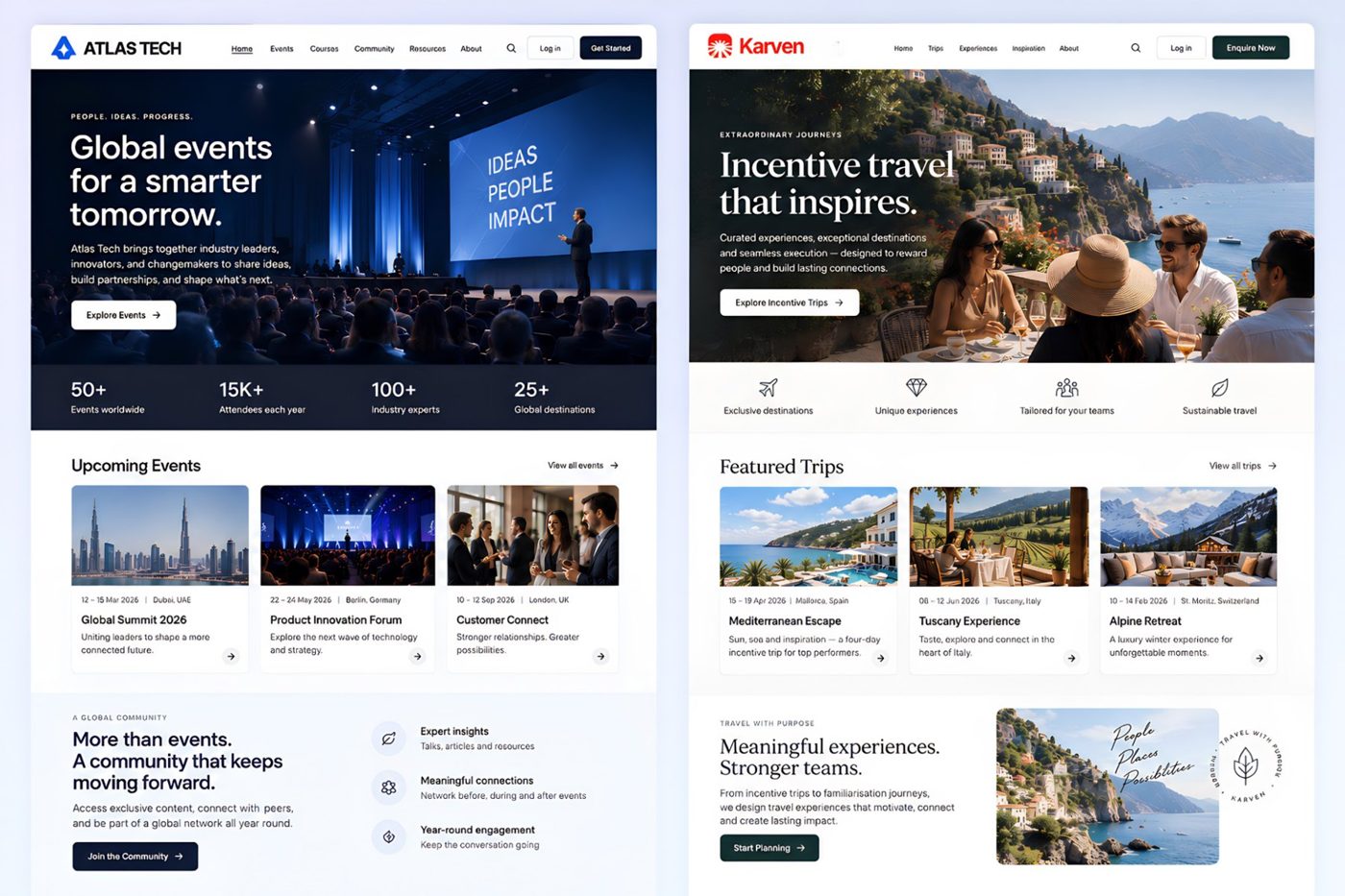
02Event websites, registration & ticketing
From a private leadership meeting to a ticketed congress, build a registration journey that fits the audience. Keep the event website, attendee details and bookings together.
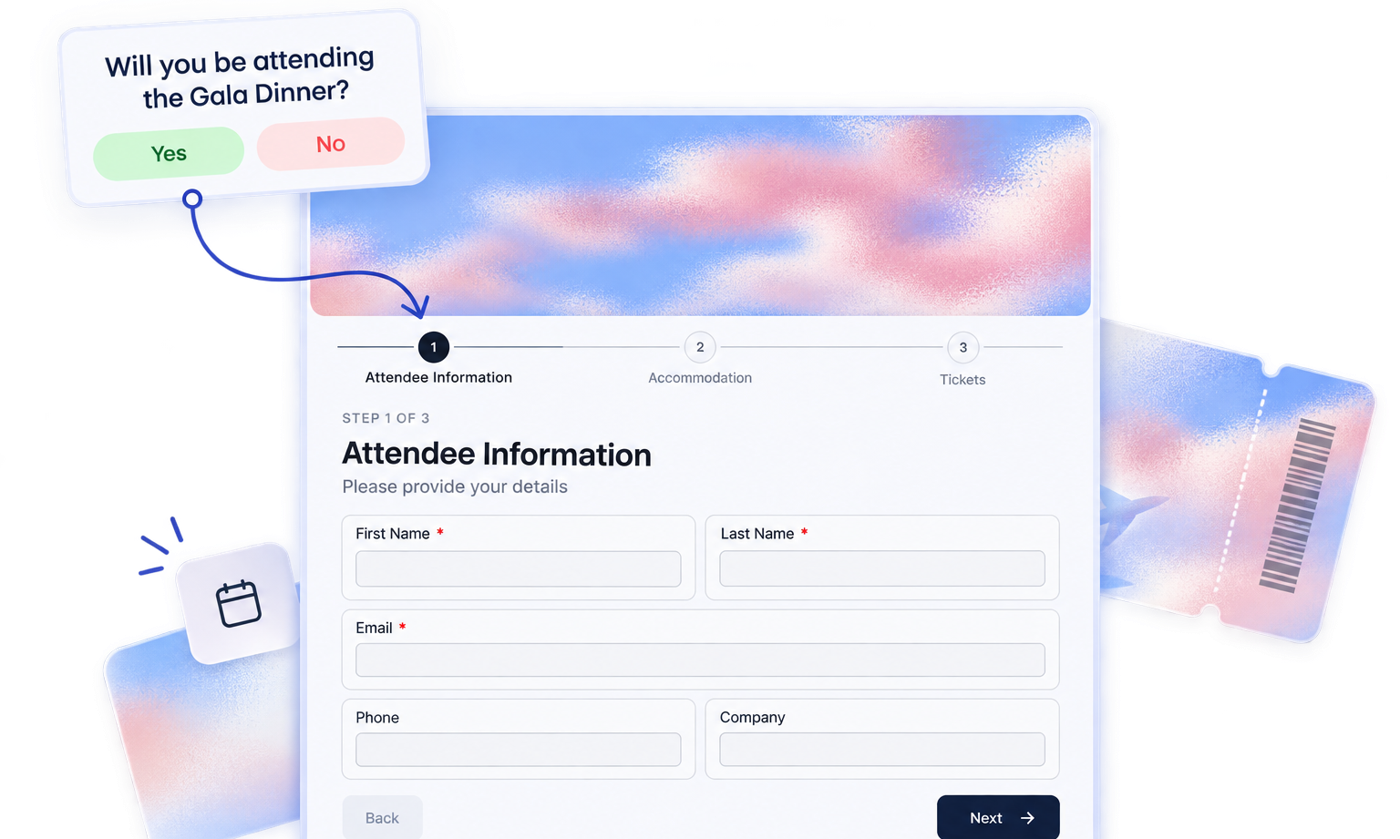
03Invitations & automated communication
Give an exclusive launch or hospitality event an invitation journey that feels unmistakably like your client. Keep the guest list and registration status together.
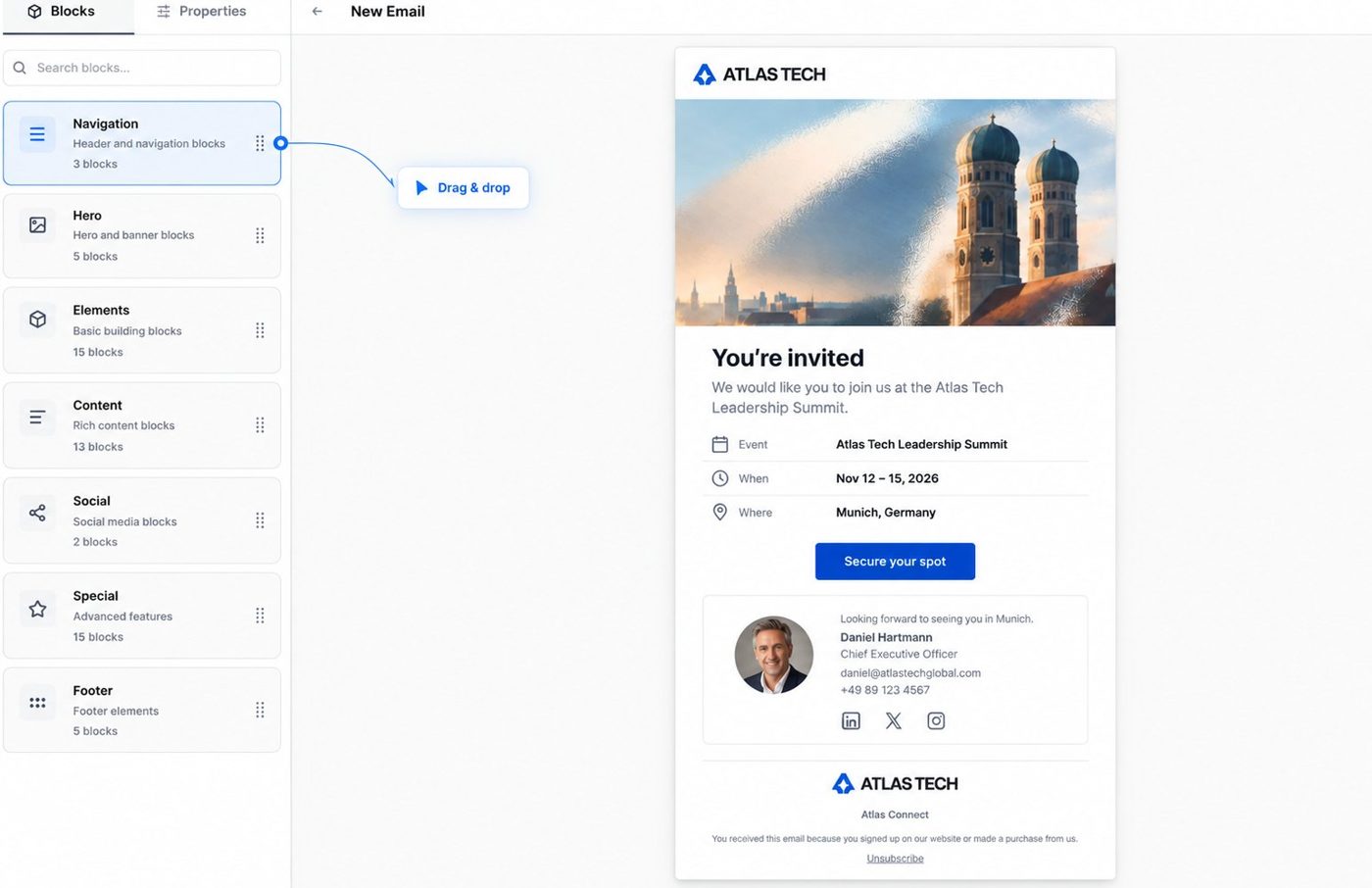
04Programmes, travel & accommodation
Coordinate the moving parts of a conference, incentive trip or group programme in the event itself. Give your team, attendees and hotel partners the information they need.
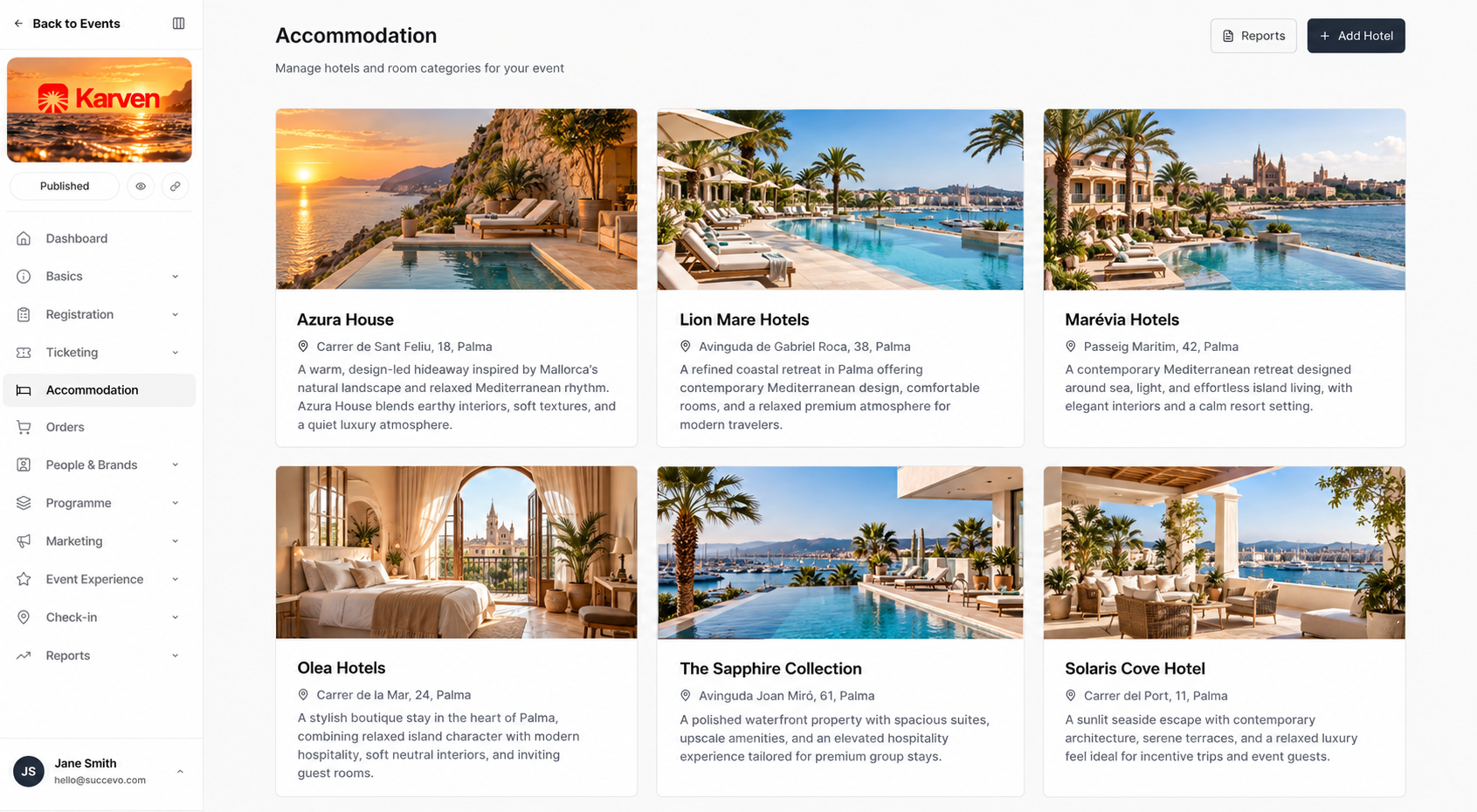
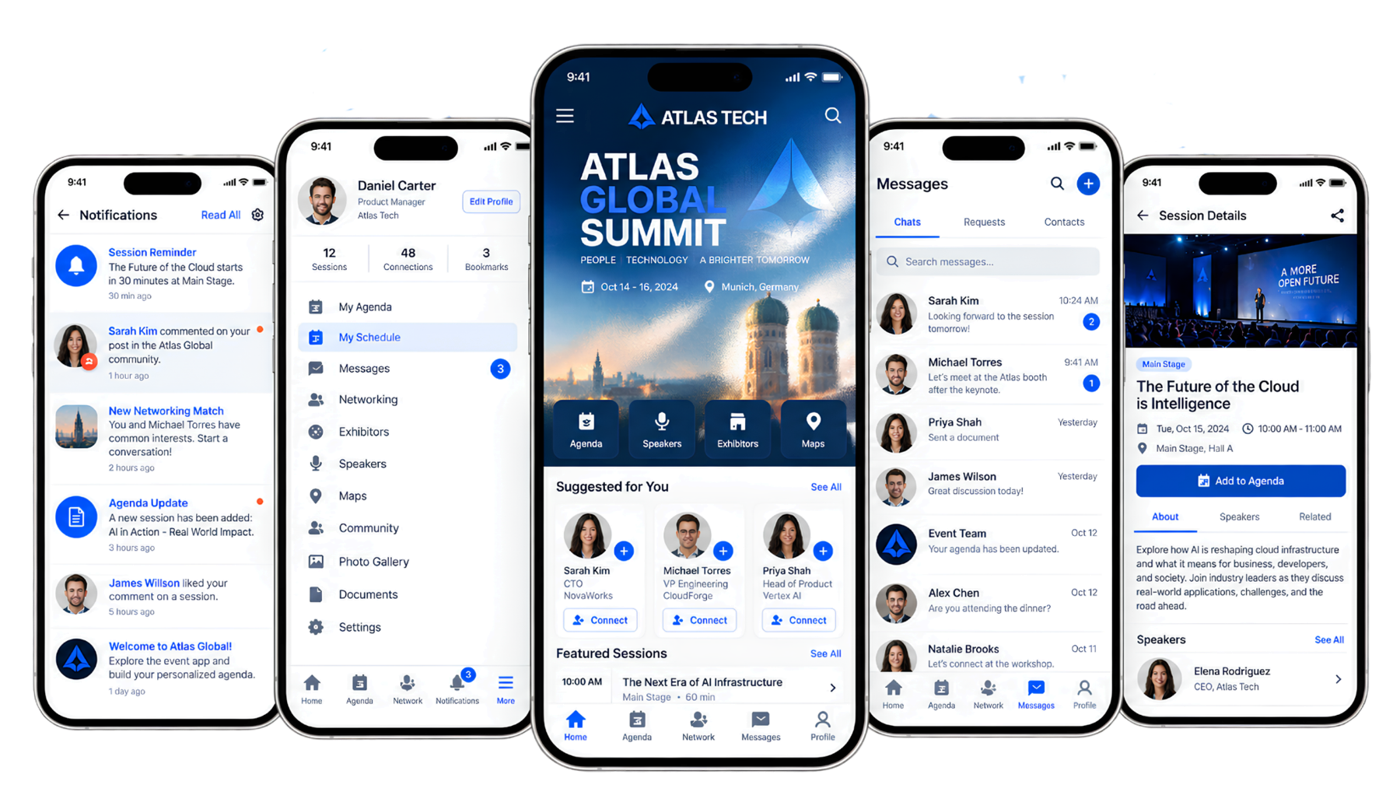
05On-site delivery & attendee engagement
Carry the client’s brand into the venue and onto every attendee’s phone. Connect the practical details of delivery with the conversations and experiences people came for.
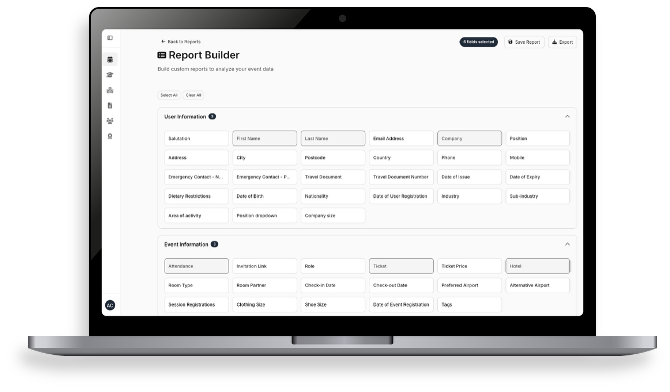
06Client reporting & feedback
See who registered, which rooms are booked, who attended and what people thought. Turn the event’s activity into a clear client report and useful input for the next edition.
Repeatable project workflows
Give the next client project a proven starting point. Reuse your team’s planning structure, then tailor the scope, budget and attendee journey to the new event.
Bring the brief, owners, milestones and supplier work into one place.
Start from a project structure your team has already refined.
Update responsibilities, dates, budget and event requirements for the new brief.
Track the work through delivery, then use the result to improve the next project.
Each new event needs its own registration, content and guest-data review before publishing.
Your clients. Your event formats.
Adapt the same platform to a different audience, programme and brief.
 Corporate events & roadshowsPrivate invitations, branded registration and coordinated guest journeys.
 Conferences & congressesProgrammes, speakers, sponsors, ticketing and accommodation.
 Training & workshopsRegistration, sessions, attendance and learning that lasts beyond the day.
 Incentives & FAM tripsHotel blocks, rooming lists and a personal itinerary for each guest.
A few practical questions
From client branding to the next edition, here’s how the setup fits your team.
Yes. Meetingbox supports client requests, proposals, supplier sourcing, quotes, budgets, tasks, resources, time tracking and invoicing alongside registration and attendee experiences. Your team can follow the work from the initial brief through delivery and financial closeout.
It helps interpret requests, extract information, draft proposals and replies, compare supplier responses and summarise project information. Your team reviews and refines the output using its knowledge of the client and the event.
Yes. Websites, registration forms, emails, custom domains and the mobile event app can carry your agency’s branding or your client’s. A brand kit keeps logos, colours and fonts consistent across touchpoints.
Yes. Each client or sub-brand can have its own hub, website and team access. Your agency can switch between client hubs and open reports for individual events.
Yes. Restrict registration to invited guests and use a branded invitation screen for a VIP launch or hospitality event.
No app store download is needed. The branded mobile event app runs from the browser, with the agenda, speakers, venue information and attendee engagement features in one place.
Yes. Project templates and repeatable workflows give your team a starting structure for tasks and delivery. Review each new brief, budget and event setup for the client before launch.
See it with your agency in mind
Explore the workflows that matter to your team, from proposals, budgets and project workflows to branded registration, on-site delivery and reporting. Ask about a sandbox environment to try the platform for yourself.
Book an agency demo